How to Choose the Best Gaming Mouse in 2026?
Choosing the best gaming mouse in 2026 is less about chasing the newest sensor and more about matching a device to your hand, games, and desk. Newzoo’s 2024 Global Games Market Report estimated 3.42 billion players worldwide and projected $187.7 billion in game revenue. Those figures describe the wider audience, not mouse buyers specifically. Still, they show why one “perfect” design cannot suit every player.
Start with fit. A mouse should support your grip without forcing your fingers into a cramped position. Check its shape and weight, then consider whether you play fast shooters, strategy games, or a mix. Sensor performance matters, but a high DPI number alone proves little. Look for independent tests that measure tracking, click latency, wireless stability, and battery life under repeatable conditions. Feel the difference. A light shell can help quick flicks, while extra side buttons may be more useful for complex commands.
This guide explains how to compare wired and wireless models, evaluate sensor specifications, and judge features that affect daily use. It also considers build quality, software, and value, so a flashy feature list does not distract from practical performance. Mouse Gaming choices can look obvious on a product page, yet comfort often takes real testing to assess. Reviews may disagree, and hand size changes the experience. Treat recommendations as a starting point, then check return policies and test the mouse with your usual grip. The right choice should feel dependable after hours, not merely impressive for a few minutes.
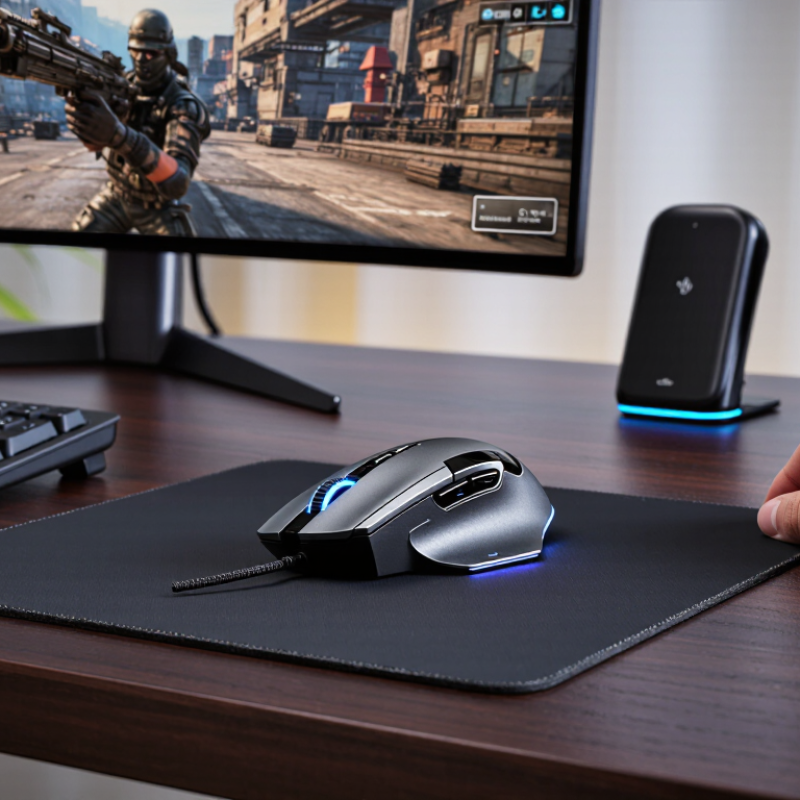
Understand the Main Types of Gaming Mice and Their Features
How to Choose the Best Gaming Mouse in 2026?
Understand the Main Types of Gaming Mice and Their Features
Gaming mice are not one-size-fits-all; their shapes and controls suit different hands and games. An ergonomic mouse curves for the right hand, often supporting the palm during long sessions. An ambidextrous shape is usually flatter and works for either hand, though its side buttons may feel awkward. Fit matters most. A mouse that forces your wrist outward can become tiring, even with excellent specifications.
For fast shooters, lightweight mice with a simple shell and responsive sensors can make quick turns feel easier. For strategy or role-playing games, extra side buttons offer shortcuts, but crowded controls can cause misclicks. Wired models avoid charging pauses; wireless models reduce desk drag but need regular battery checks. DPI figures are not a quality score. Check adjustable sensitivity, stable tracking, comfortable click force, and a shape you can control without gripping tightly. No spec sheet can predict comfort perfectly.
Tips: Rest your hand on the mouse and test a few slow, then quick movements. Notice whether your fingers reach the wheel naturally and whether the cable or shell catches your desk. Try before buying, if possible.
How to Choose the Best Gaming Mouse in 2026?
Understand the Main Types of Gaming Mice and Their Features
The chart shows the approximate time between reports: interval in milliseconds = 1,000 ÷ polling rate in hertz. These are common polling-rate settings, but not every mouse supports every rate. Higher polling rates are not a mouse type, and their practical benefit depends on your setup and preferences.
Main Gaming Mouse Types
- Lightweight FPS: Designed for quick, repeated movements; often has a simple button layout.
- Ergonomic: Shaped to fit one hand, commonly the right; comfort depends on your hand and grip.
- Ambidextrous: Often symmetrical in shape, making it suitable for either hand or varied grip styles.
- MMO / multi-button: Adds thumb-side buttons for assigning abilities, shortcuts, or macros.
Choose by shape, fit, weight, and button layout first. Polling rate is a separate feature, and a higher number alone does not guarantee better control.
Match Mouse Shape and Size to Your Grip and Hand
A mouse can look comfortable online and still feel awkward after ten minutes. Start with your hand, not the product photo. Measure from the wrist crease to the tip of your middle finger, then compare that length with the mouse’s overall length and width. The U.S. Army’s ANSUR II anthropometric survey reports average hand lengths of about 189 mm for men and 172 mm for women in its military sample. That sample is not a universal standard, but it shows why one size rarely suits everyone.
Your grip changes the fit. A palm grip usually needs enough length and a raised rear section to support the hand. With a claw grip, check that the hump does not press sharply into your palm. Fingertip users often prefer a shorter, lighter-feeling shape that leaves the wrist free. Try holding the mouse with relaxed fingers; if your thumb or little finger drags on the desk, the body may be too wide. Small details matter.
Look for pressure, not just reach. A shape that forces your wrist outward or makes you pinch the sides can become tiring during long sessions. The ANSUR II figures describe body dimensions, not gaming comfort, so treat them as a starting point. Not a rule. And hand measurements miss personal quirks: finger length, flexibility, and desk height all matter. That part is easy to overlook.
Compare Sensors, DPI, Polling Rates, and Wireless Performance
Choosing a gaming mouse starts with its sensor, not its largest DPI number. Look for consistent tracking and no unwanted acceleration at the speeds you actually use. A sensor that follows small, controlled movements is more useful than one with impressive specifications on paper. Try several sensitivity settings in the games you play. Many players settle between 400 and 1,600 DPI, but comfort matters more than convention. Higher numbers are not automatically better. Smooth, predictable tracking wins.
Polling rate describes how often the mouse reports its position to your computer. A 1,000 Hz rate sends updates every millisecond; higher rates can reduce delay, but may demand more from your system. The difference is subtle for many players. Wireless performance also depends on a stable connection, low latency, and sensible battery life. Test the mouse at your usual distance from its receiver, with your desk setup in place. Check whether the connection stays steady during quick flicks. No cable, no drag. Still, wireless convenience can come with charging chores, and that trade-off is easy to overlook. A specification chart cannot fully predict how a mouse feels in your hand.
Choose Buttons, Software, and Build Quality for Your Games
Choose buttons for the actions you repeat, not for a feature list. In a strategy game, two easy-to-reach side buttons may handle frequent commands without crowding your thumb. For fast action games, prioritize a clear primary click and a scroll wheel that does not wobble. During a short test, try several clicks in a row and check whether your grip shifts. Feel the click. If a button activates accidentally, its position may not suit your hand.
Mouse software should make adjustments simple. Look for clear controls for sensitivity, button assignments, and saved profiles. Change one setting at a time, then test it in the same game; otherwise, it is hard to tell what helped. Some software feels unnecessarily busy. You may never need every option, and a confusing interface can make quick changes frustrating.
Build quality shows up in small details: firm side panels, an even-feeling scroll wheel, and a cable that does not drag across the desk. If possible, hold the mouse for several minutes before buying. Notice pressure around your fingers and whether the shape supports your usual grip. A lighter mouse is not automatically better; steady control matters more than a number on a product page. And comfort can change after a longer session, so a brief test is useful, but not conclusive.
Balance Your Budget Against Comfort and Long-Term Reliability
A higher price does not automatically mean a better gaming mouse. Set a budget that leaves room for a comfortable mousepad or replacement feet, if needed. Then compare practical details: weight, shape, sensor performance, and warranty terms. A light mouse may suit quick movements, but it can feel less steady during slow, precise aiming. Specifications help narrow the options; they cannot predict how a shell will fit your hand.
Comfort is personal, and small differences become obvious during a long session. Notice where the mouse presses against your palm, whether your fingers reach the buttons naturally, and if your wrist stays relaxed. If possible, hold a display model for several minutes rather than judging it by appearance. Too big? That matters. Grip style can change how a shape feels, and online measurements rarely tell the whole story. Even careful testing can miss a pressure point that appears after an hour.
Long-term reliability deserves part of the budget. Check for a solid-feeling wheel, stable side buttons, and a cable or wireless connection that suits your desk. Read warranty details and look for recurring reports of the same failure, while treating isolated complaints cautiously. No mouse lasts forever. A replaceable cable or easy-to-clean surface may extend useful life, but those features are not worth paying extra for if the shape causes discomfort. It is easy to overvalue flashy extras; sometimes that judgment is wrong.